
# inside the console
What the panel looks like.
A look inside the bashrack console: dashboard, server list with live status and actions, billing and wallet, spending limits, and the phone view. Screenshots of a demo account.
bashrack in 15 seconds
A 15-second film of the bashrack platform: the prompt builds the mark, the rack routes into one wallet, the map lights up and the orders API provisions a server.
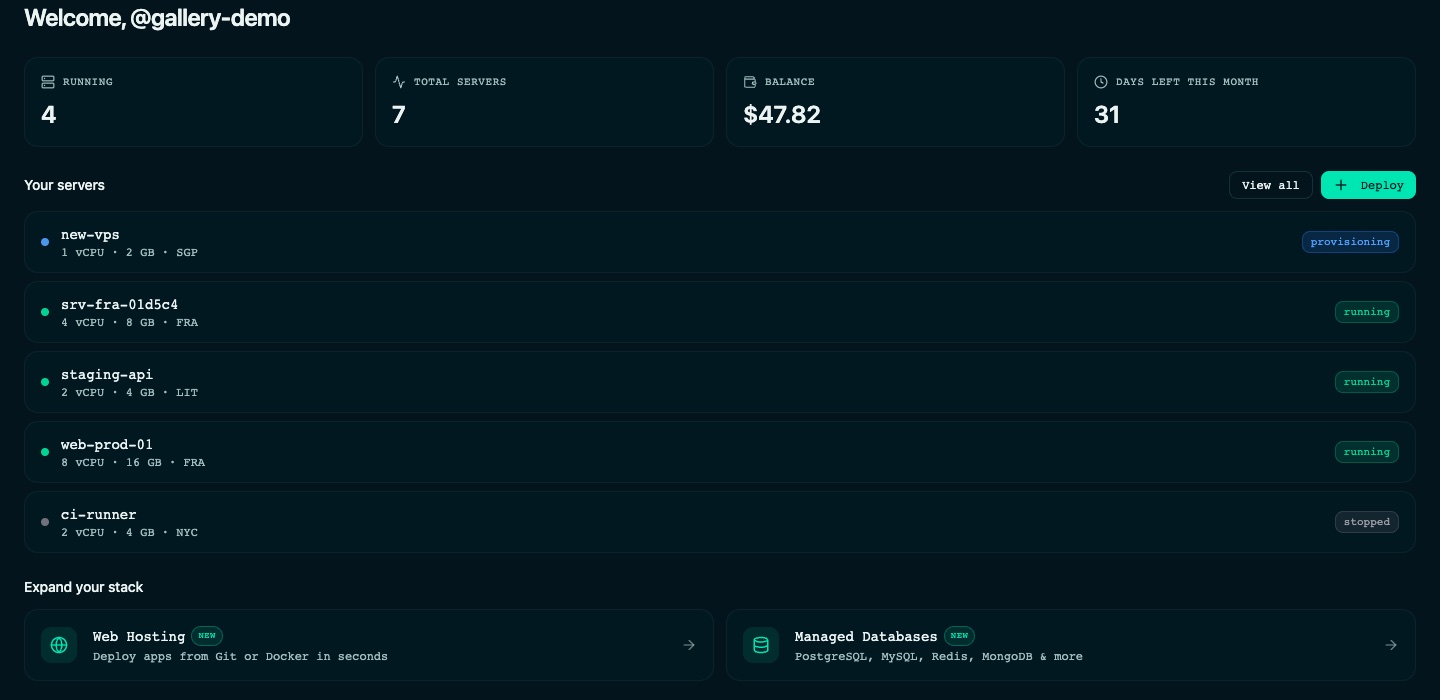
Dashboard
Running and total servers, your wallet balance and the days left in the month on one screen, with your servers listed below and shortcuts to hosting, databases, billing and support.
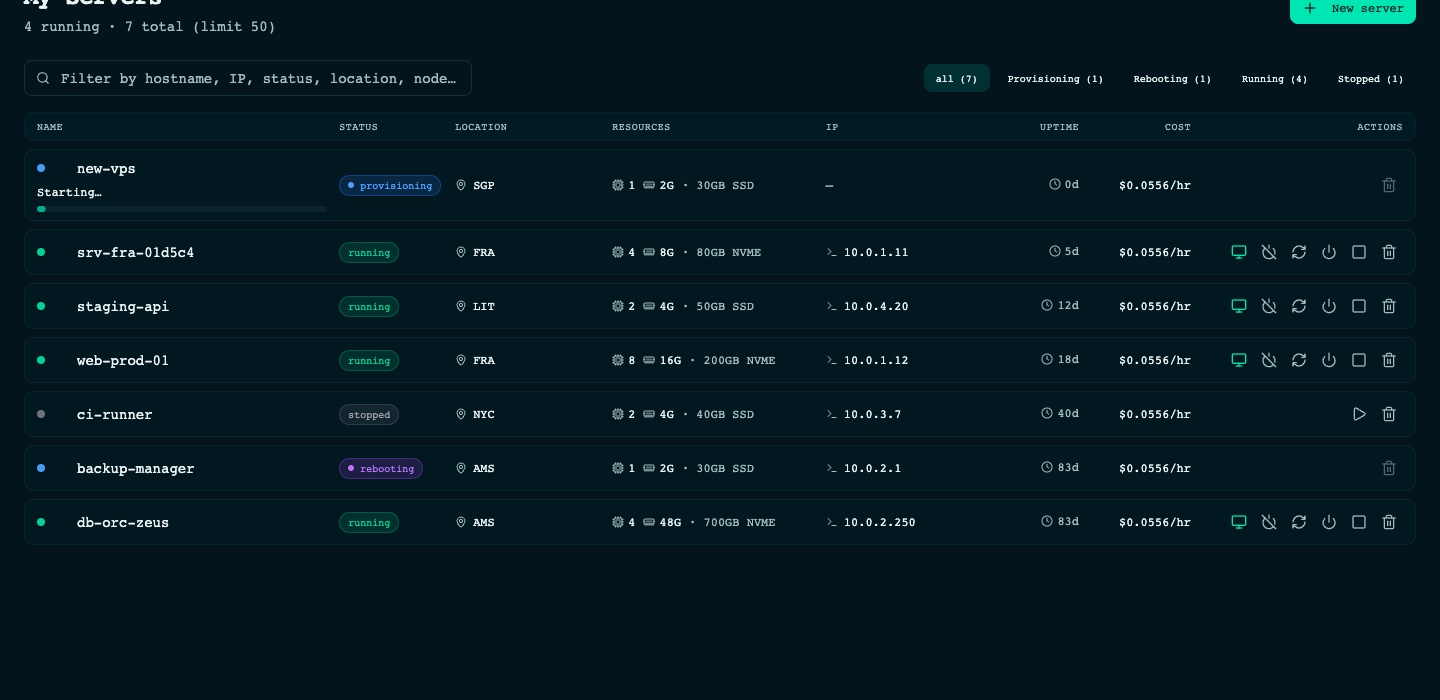
Servers
Every server with its status in its own column, location, resources, IP, uptime and hourly cost. Filter by status, open the console, reboot, shut down or delete from the row.
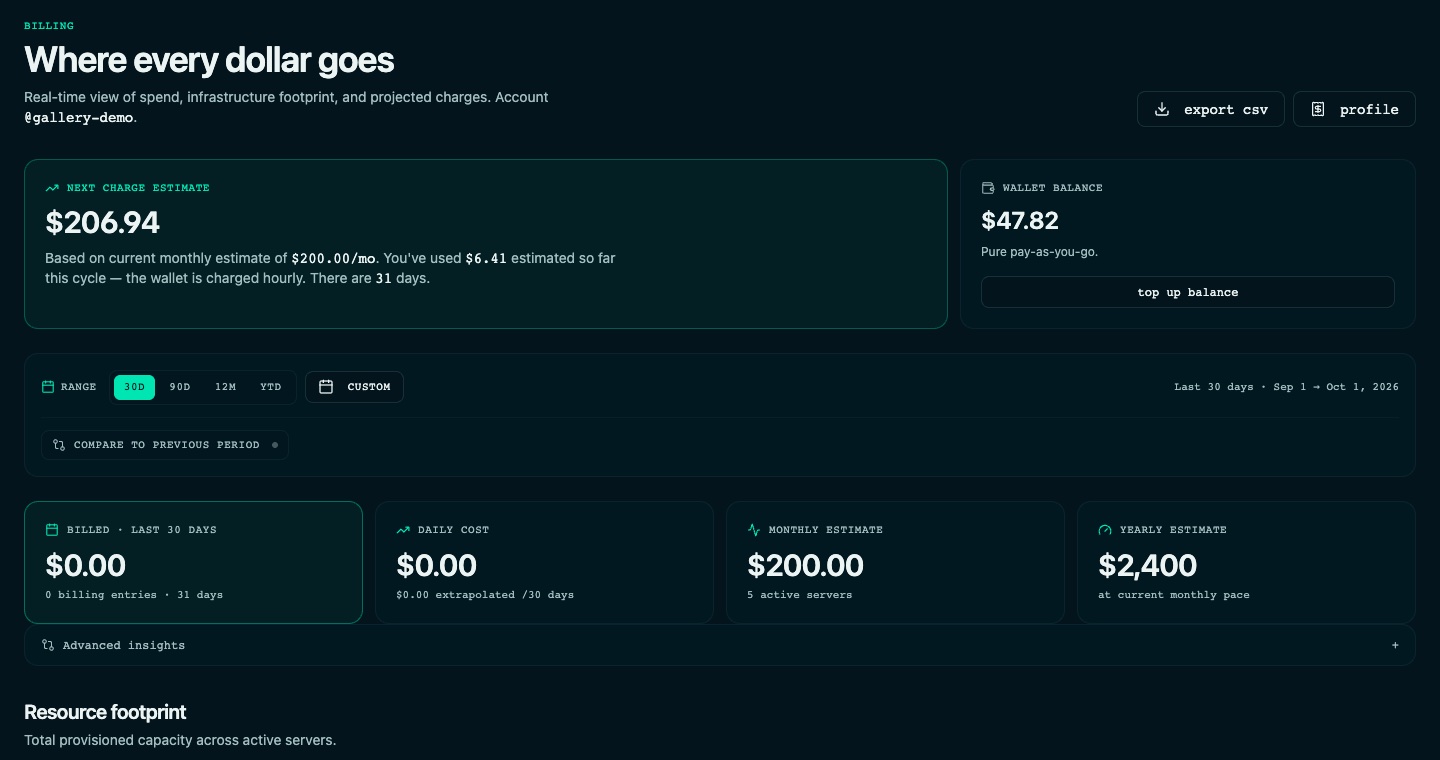
Billing and wallet
Pay-as-you-go from one wallet. See the balance, the estimate for the current cycle, what was billed over any range and the resources you provision, then export it as CSV.
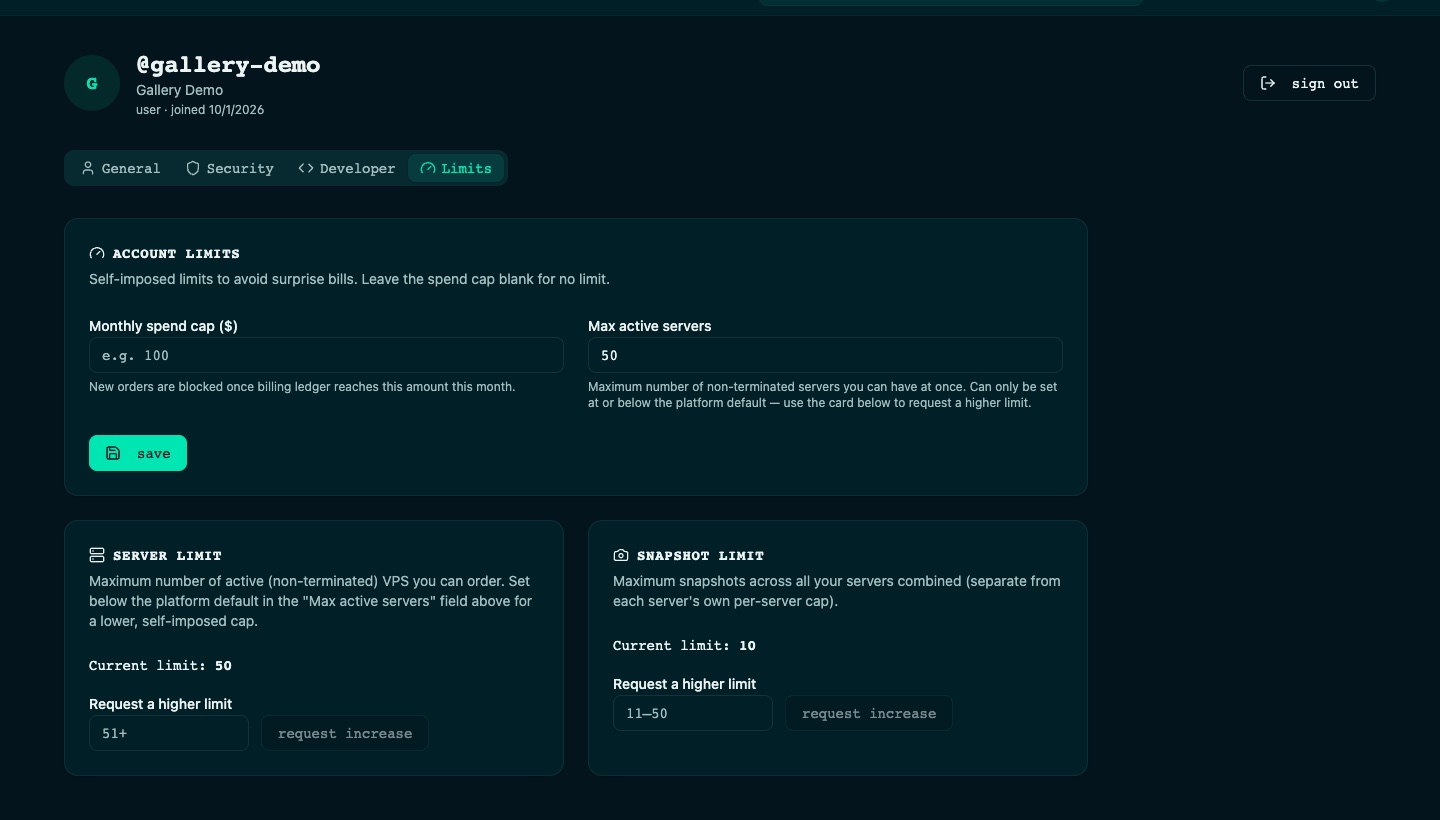
Spending limits
Set a monthly spend cap and a maximum number of active servers to avoid surprise bills, and request a higher limit when you need one.
On your phone
The same console works at phone width: hostname, status and the power actions of each server stay one tap away.
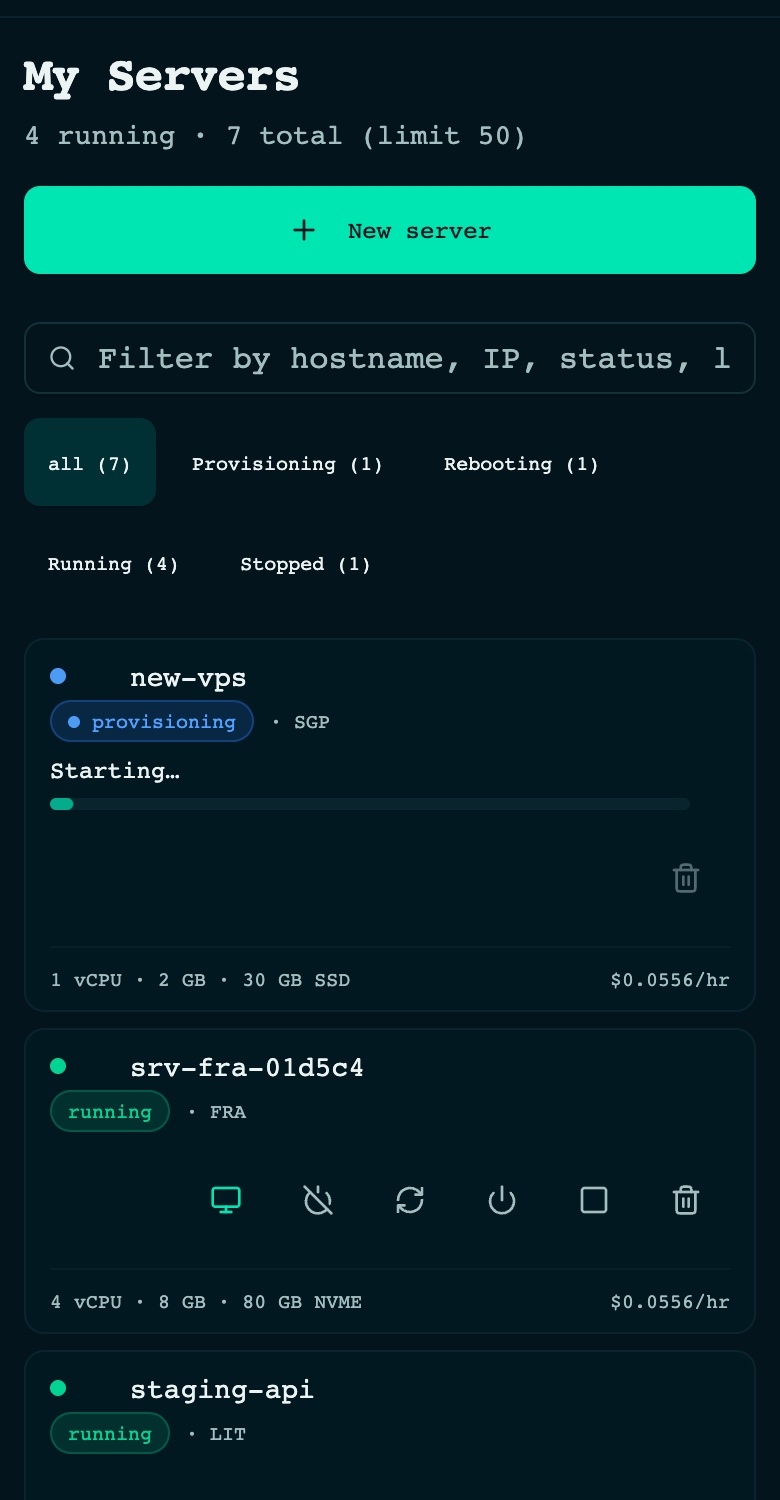
Screenshots show a demo account with sample servers and wallet history, not customer data. Create an account to see your own.